Can I hide products from menus / What is an Ignored Variant?
In BudSense, products can be hidden from Smart Filters in two ways: Ignored Variants, which allow you to ignore a product across all filters for a given location, or you can hide products from any filter individually.
An Ignored Variant is a product designated to be hidden across all Smart Filters. These products still sync into BudSense and appear in your All Products list, and can be re-integrated to menus at any time by turning off the Ignored toggle.
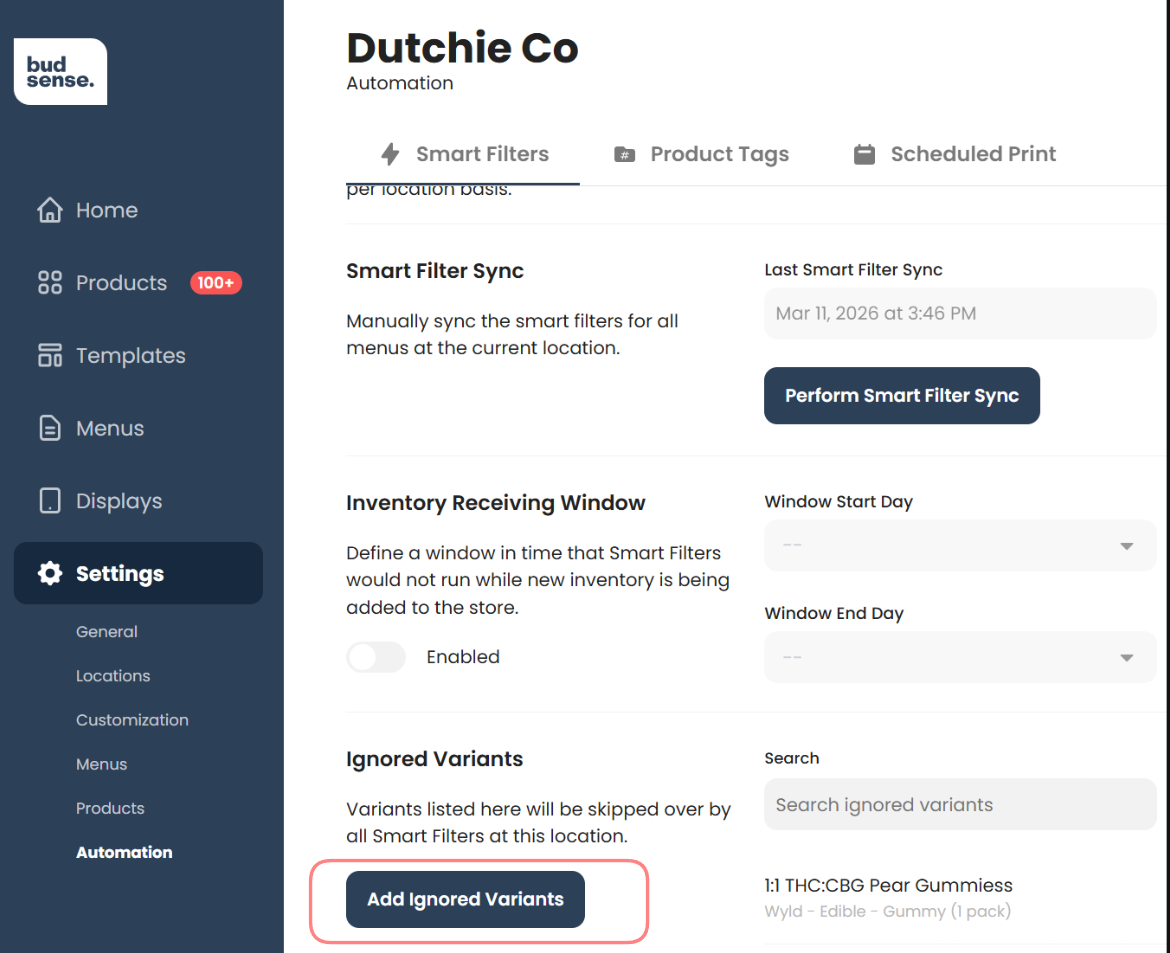
To set a product as an Ignored Variant, navigate to Settings > Automation > Smart Filters and select the Add Ignored Variants button.
A full article on hiding products from Smart Filters can be found here
Settings > Automation > Smart Filters